
Linux Mint is proud to announce the release of Linux Mint 5 Elyssa Fluxbox Community Edition.
This edition, maintained by Shane Joe Lazar, brings you the best and most essential tools from the Main and XFCE editions on top of an extremely thin desktop and the lightweight Fluxbox window manager.
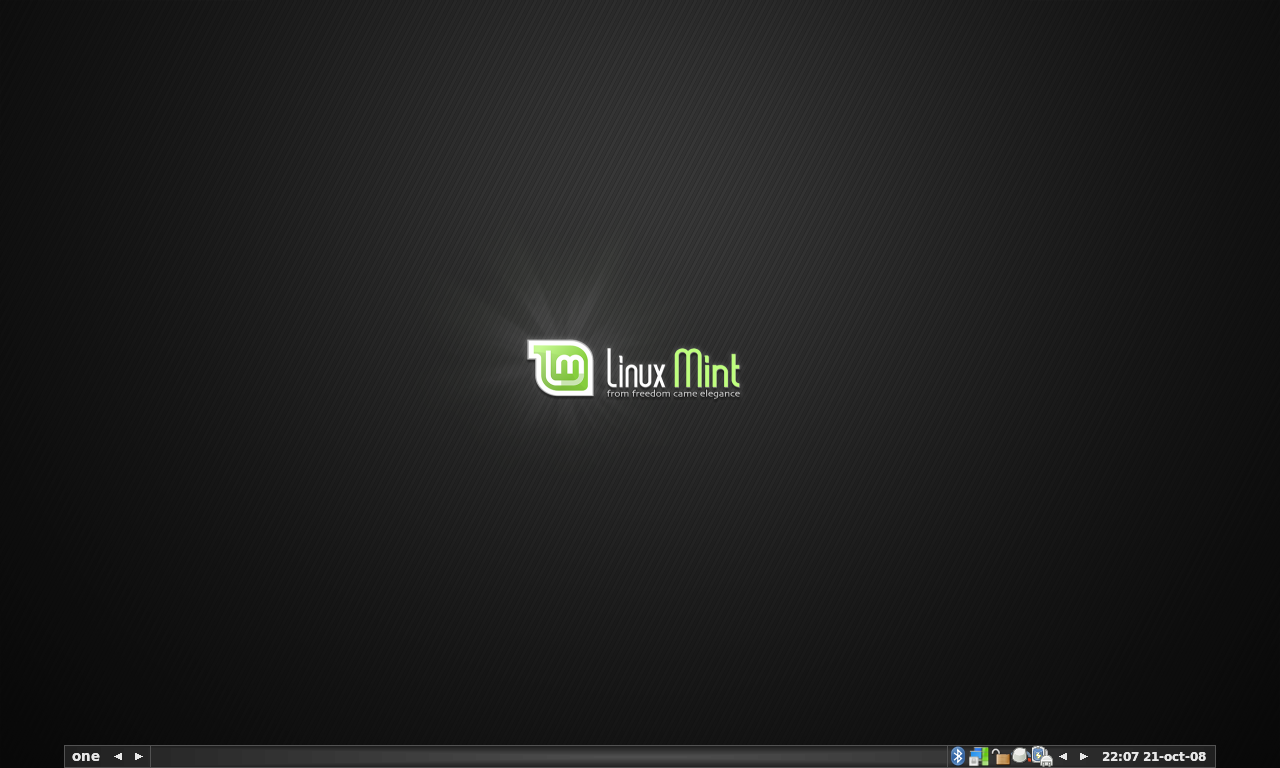
For a complete list of features please read the following Release Notes:
http://www.linuxmint.com/rel_elyssa_fluxbox.php
System requirements:
A minimum of 512MB of RAM is recommended. Once installed the system works fine with as low as 256MB RAM. The installation process deals with 2.5GB of data compressed on a 700MB CD and it can hang or fail on systems with less than 512MB RAM. If you have between 256MB and 512MB RAM you may have to try to install several times.
Download Linux Mint 5 Fluxbox:
- ISO: http://ftp.heanet.ie/pub/linuxmint.com/stable/5/community/LinuxMint-5-Fluxbox.iso
- Size: 562MB LiveCD
- MD5Sum: e67f6cdb0167e7d48445739777c4ea58
- Torrent download: http://www.linuxmint.de/downloads.html
- HTTP download: http://www.linuxmint.com/mirrors.php?id=29
Europe:
- http://cesium.di.uminho.pt/pub/linuxmint/stable/5/community/ (Portugal)
- http://ftp.heanet.ie/pub/linuxmint.com/stable/5/community/ (Ireland)
Northern America:
- http://mirror.amarillolinux.com/linuxmint/stable/5/community/ (USA)
- http://linuxmint.norhex.com/linuxmint.com/stable/5/community/ (USA)
- http://linuxmint.secsup.org/stable/5/community/ (USA)
- ftp://mirrors.secution.com/linuxmint.com/stable/5/community/ (USA)
- http://linuxmint.sourcemirrors.org/stable/5/community/ (USA)
Rest of the World:
- http://mirror.aarnet.edu.au/pub/linuxmint/stable/5/community/ (Australia)
- ftp://202.78.230.5/LinuxMint/stable/5/community/ (Vietnam)
Order Linux Mint 5 Fluxbox on CD:
You can order Linux Mint 5 Fluxbox on CD from our partner on-disk.com:
http://on-disk.com/product_info.php/cPath/28_153_240/products_id/592
Tell us what you think:
This is our very first stable release for this edition and a Fluxbox desktop. Please send us your feedback, tell us what you like about it and what you’d like to see improved.
Upgrade Instructions:
If you’re currently running Linux Mint 5 Fluxbox CE RC1 you can upgrade to the stable version by following these instructions: http://www.linuxmint.com/forum/viewtopic.php?f=142&t=18070
It looks very nice ! I always loved Fluxbox as a “backup” WM, or main in older hardware ! Good job !
Somehow, I wish there was a text-based installer for this edition, as this would allow folks to install it on PC’s with less than 256 megs of ram…
But congrats for your efforts !
Caraibes: I’d be interested to know if it’s possible with 128MB. The fact that it’s using Fluxbox and that the squashfs file is smaller than usual (this ISO is significantly smaller than the one for Main) might make it easier to install on low spec machines. If you’re giving it a try on a PC with less than 256MB RAM please let us know how you’re getting on.
Wow, can’t wait to try this out! Although, I must say, min 512mb RAM for the live cd seems a little excessive. I’ve run (and subsequently installed) the normal Mint cd in a 356mb laptop with no probs – is the team just trying to cover their backs a little?
I can run OpenGEU on a old PIII laptop with 64mb of RAM. It’s surprising how much you can get out of your pc when you stop thinking in system requirement terms and just what you need.
In fact… I may well try this on the 356mb laptop – and write up my findings. If anyone’s interested of course 😉
Kernel? What kernel does this have? Thx.
ISO will not boot on my Aspire One netbook. Boot stalls with “udevd-event[1446]:run_program: ‘/sbin/modprobe’ abnormal exit error.
Presumably the same as Mint Main.
It uses the same kernel as 8.04 not 8.04.1.
I know people who say that they install XFCE CE with lees then 256MBs of RAM.
You should be able to install with 192MBs of RAM.
You could go even lower with 128MBs of RAM, if you have a swap partition setup before.
is there or will there be a 64bit version of this?
that would be awesome.. lightweight, does everything you want, plus utilizes over 4gigs ram(i have 4 gigs ram)
????
@Ben: I sure would like to know how it does on your laptop or any other lower end hardware
@Johnny Doe: It is running kernel 2.6.24-16-generic from the Ubuntu repos by default.
Use Knoppix or some other distribution with really low requirements to make a swap partition.
As merlwiz79 writes you can use low memory with a swap present.
I have an indication that 256 MB without swap may be too little
Thanks for the good work! Would love to see how it runs on my Asus EEE PC 901. Guess I need the array.org extensions to have wifi and atom optimization? Btw. they worked great on the main edition.
How sweet the Mint is….
Is it possible to install a “metapackage” and get to the fluxbox edition from the standard edition?
It would be awesome if we could so that people like me who already have standard, wouldn’t need to download the complete iso…
This is a great work, but it seems that for me – not really working. I think is better to use openbox, vlc, mplayer without gui, wbar (Dock), osmo (Calendar, and PIM and many things in single app) and without Xfce components. Much better to choose Nitrogen to setup wallpapers, and more wallpapers are needed. For desktop icons, and better gtk theme support – I think better choice is not thunar, but PcmanFM, and LXAppearance (LXDE parts). I think also to check sysresources you are not needed the gnome one, better choice is conky. However I really happy with this fluxbox edition, GPRS EasyConnect, and with the other stuff.
I do not have a low memory PC to try this, but would the low memory technique described here http://austinlug.org/ increase your installation chances on less than 512mb.
Oops, just read Mertwiz79’s post.
@merlwiz79, RE: “It uses the same kernel as 8.04 not 8.04.1.”
@shane, RE: “It is running kernel 2.6.24-16-generic from the Ubuntu repos by default.”
This is almost surely a bad decision. There are a number of machines known to fail to boot with the original 8.04 kernel, but which work with the kernel from 8.04.1 or a newer one (2.6.24-21-generic is the latest one).
Read the comment #103 on DWW (not by me): http://distrowatch.com/weekly.php?issue=20081020&mode=67
“103 • Linux Mint 5 Fluxbox (by capricornus on 2008-10-22 12:20:44 GMT from Belgium)
Install stalls on my AMD64x2-on-Gibabyte MB. A pity. (The 64bit-version works very well, just as well as XUbuntu 8.04.1 … and WInXP of course ;-)).”
Thank you!
Downloading myself a (Flux)box of Mints.
I honestly believe I’ve found my favorite no-hassles-setup distro (for i386 at least)!
i have xubuntu instaled on compaq armada m300 – PII 233 Mhz, 128 SDRAM, 10 GB HDD,
i have to install it in text mode – download corresponding distro and install it
it work fine – first when i read this i think to replace it with this but now … i am not sure
I agree with Béranger,.
The use of 8.04 Ubuntu generic kernel instead of 8.04.1 at the minumum was a very poor decision. The fact is a good number of laptops fail to boot using the 8.04 generic kernel should which is well documented by the Ubuntu community and developers which prompted the 8.04.01 point release. It’s an EPIC FAIL that this was not addressed in such a recent release by the MINT team.
Looks great and fast install 😉
thanks for this version……
exellent one! iust installed it on a hp 2133 mininote!
There is a very nice review of the Fluxbox CE here.
http://reddevil62-techhead.blogspot.com/2008/10/linux-mint-fluxbox-leaves-very-pleasant.html
I came across the review from a link on Distrowatch.
A review is here:
http://reddevil62-techhead.blogspot.com/2008/10/linux-mint-fluxbox-leaves-very-pleasant.html
Regards
John
I did a small test simulating an install on an older machine.
http://drsjlazar.blogspot.com/2008/10/linux-mint-5-fluxbox-ce-will-it-work-on.html
sorry but I was disappointed, I installed it on an old laptop (1GHz 256Mb ram), and it was using way to much ram, slow and struggling, plus I really don’t like the lack of a “main” menu button on the taskbar, so how do you get to the menu when you can’t see the desktop?? Currently trying to get LXDE to work on Mint/Ubuntu 🙂
Thanks for the distro. I have been looking for a easy to set-up distro that is debian based and really fast. And I think I have found it.
A big thanks to those working on this fluxbox project.
I installed it on my ‘boat box’, a Compaq Deskpro – pentium 3 (495 Mhz) , 256 RAM
No problem with live disk or install – just takes time.
Looks great, no big issues, but .. it seems to consume far more resources than I would have anticipated (PCM: 87% without doing anything significant).
Also wish the panel and task bar font was a bit larger but can’t seem to find a way customize it.
But all in all, a thumbs up!
Dear Simon,
The PCM is the volume mixer. It is not the RAM or other system parameter! Just double click on it and you will see!
I think it is very good distro!
I installed it on a VMWare machine with 512MB an 5GB disk, and it is working faster than I expected!
Congratulations for the MINT Team!!!
It didn’t install for me. My system is 1.3GHz with 384Mb ram, and about 500Mb swap.
i did try it and i fell like i work on pre alfa or alfa os really.
kind of slow system (and i have quite powerfull PC )
have A LOT of bugs (for example transparency on the taskbar in ubuntu works fine and looks beautifull and here wellno comment)
no trash bin in the taskbar – ppl its must have 0_0 (yeai know it can be on desktop but i want it on taskbar too)
still its more beautifull than ubuntu i hate that brown look of it
it dont have full support for polish language
i hope that ver 6 will be out soon with HUGE fixes and upgrades
cause the system is good still lacks a lot
@ginjabunny: thank you for trying out LM FB… could you please tell me what application was using up system resources… You can use the right click on the desktop or Ctrl+M to access the menu. If you dont like this…. I’m sorry… you can change the keyboard shortcut,
@Simon: when you say PCM 87%, what do you mean?
@honkytonkwillie: could you please provide more details?
If this release has lower system requirements (when installed) than xubuntu im sold. But they really did make a mistake by not having 8.04.1 installed. A lot of people were having problems with hard lockups that were fixed with the .1 update.
I’am a disappoint on one aspect of this version of Elyssa, Fluxbox is minimalist desktop environment for a limit resources, but this Elyssa is the version for a new machine with more of 256 MB, I think that is not advantage in nothing, is only Xubuntu with a Fluxbox packages and wireless and media support (to fans of fluxbox). For the rest of de Mint team your work is very interesting to me.
Not impressed. Slow and struggling on a super fast laptop. Half the time firefox or other menus wouldn’t even come up.. won’t hold dns settings.
I deleted it promptly.
I’ve found that the Linux Mint 5 Elyssa XFCE CE with Fluxbox installed is how I’ve been doing it, but I’ve had to do a lot of customizing that makes me wish I’d just tried this Fluxbox CE which is already created.
Very glad to see Fluxbox being given some notice, even on a fast computer, Fluxbox has it’s advantages over other WM’s.
I’m going to try this out and see if it’s better than they way I’ve been doing it.
Hello, does anybody knows if there is something like the “load cycle count issue” that affects the hdd of some laptops runing Ubuntu?
Loving it, nice one fellas…
Is there a way of upgrading from Linux Mint 5 Elyssa Gnome to Fluxbox without a full re-install?
I’ve tried the following:
sudo apt-get install mintfb-default-settings
and get:
The following packages have unmet dependencies.
mintfb-default-settings: Depends: mintconfig-fluxbox but it is not installable
Depends: mintdesktop-fluxbox but it is not installable
Depends: mintfb-art but it is not installable
E: Broken packages
I can’t seem to find mintxxx-fluxbox in any repositories on the net.
Any One help me, How to setup Driver WebCam in Linux Mint
Very nice ….. especially on old laptop!
great job!fluxbox can be cool either.
i’v tried xubuntu,zenwalk,hiweed,finally i switch to mint fluxbox5 cos those distros all have a little trikie problems in my laptop.
xubuntu,em,yumie but my wireless didnt work.
zenwalk,oops,pretty fast one,the speed satisfied me but the GUI is not so good.
hiweed,chinese customed version,fits my laptop well but the kernal is 2 old.
finally,i turn to mint fluxbox 5.2 . it looks brillant though not as fast as zenwalk with xfce . i think i would stay in mint camp.
btw,my laptop is a old one which only has piii 900hz cpu and 256m memory. so, the critique should stop there.
tabascoman
I’m knew to Linux and installed Mint main edition. I installed it on my laptop and it seemed to be working ok. I tried to install some packages and thought I messed it up so I re-installed it. Now when it boots up it boots to the console instead of the GUI. I’m new to linux and do not know what commands to use yet. Is there anyway I could get this to go to the login GUI like it did the first time when I installed mint the first time? I have a dual boot with XP and would hate to wipe the entire drive out to correct this or is there something I’m doing wrong at install?
to KC
try command startx
good luck!
Please no support questions here
That’s what the forum is there for
Concur with those who say, “HEY, GREAT WORK MANY THANKS FOR THIS AWESOME DISTRO!” but also with those who say,
“what? Fluxbox-driven and yet won’t go below 256 (or even ONTO a 256 w/o work)? That seems… odd.”
Hoping to revive an ancient fujitsu lappie (10gb, 128mb RAM), I tossed DSL on it. It’s ok but not thrilling and Dillo is not my idea of ideal browsing environment (and don’ get me started on my wife’s reaction…).
Love the Mint take on Ubuntu (brown.. *shudder*) and Fluxbox ontop just seems a cherry bonus. Really wish there was a tiny core install from whence we could go seek out the rest of the system.
I’m NOT whining, just… wishin’.
Thanks, again, for the quality work.
this is realy kick ass.
Hey! Great work! I have fast laptop, but Fluxbox is my favorite window manager. So it’s great to see Ubuntu based distribution with Fluxbox as default Window manager preinstalled and configured very well.
Thanks guys, hope there will be releases each six months… 🙂
How do I mount other partitions with fluxbox?
@ gyffes
I have run this fluxbox edition in Virtualbox with just 183 MB allotted and it was OK some odd behavior at shutdown so 196 MB would be quite OK
Whoa, this looks really cool. I went away from the Linux world for 1 year and look what happened. 😮 Mint has come a long way since 4.0(I think!).
Btw, this is probably spamming your blog but could someone reactivate my forum account(Lucifiel), please? I no longer have access to my old email address and I posted about the issue in the Chat forum but I guess the mods are busy.
http://linuxmint.com/forum/viewtopic.php?f=58&p=110643&sid=c837778f4c7057a0fa3824c5b47c1538#p110643
Thank you! 🙂
Just installed Fluxbox Mint on this Compaq Presario laptop with only a 700mhz CPU and 196 MB of RAM–installed with no problems from the live CD. Got the notorious hard lockup twice when trying to install restricted drivers but other than that it’s running great!
how can i install games in linux mint, what type of games could run in this,i played tremulous, but the pc got hanged.
Been using it for a while now i love the simplicity of fluxbox meshed with imo the best distro out to date.
Tested the Live CD along with the main linuxMint Live CD. It’s a very nice distro. Since I’m an XP user and looking to move to linux soon I found it easier to figure out than some “minimal” installs.
Pros
It found and loaded ALL hardware perfectly for my HP Pavilion ZE4400 laptop. This included my PCMCIA USB host controller card (most don’t find that).
Everything worked!
You’ve made a very nice minimalistic setup that a clueless XP user can figure out how to use with minimal effort.
It seemed very quick even on the CD.
Cons
Didn’t care much for the program installer. The installer used on the main LinuxMint distro is GREAT–yes, that’s coming from a winXP user ;). You can’t ask for more than that!
Don’t really see a point of a graphical installer that takes me to the web site, I can just start at the web site and find what I want. It just didn’t make much sense compared to other graphical package managers I’ve seen on linux.
The menus didn’t automatically update with the newly installed software. Don’t know if that is because of the live CD or not.
All in all I think it’s a hit. A very nice combination of features while keeping it a lighter ditro.
Nice job!
Hello! im a Windows user, generally a XP user but ive been running NT/2000 on my laptop and stationary for some time, IT SUCKS! ..
been recommended Linux Mint several times and i thought i would give it a try, sorry for this, im a complete noob when it comes to Linux, i havent even tried Ubuntu yet because i ordered a 64bit CD instead of a 32bit which i should have.. fuck it i thougt!.. the only question is, how do i get my WIFI to work in Mint and do i have any chance to find a WIFI driver that works with my USB WIFI adapter? sorry my english im Norwegian, any other Norwegian users out there who could help out a fellow with this? please contact me @ Lasse.Halvorsen@live.no (thanks!)